 >
>
DramaCorp Support Centre
Step-by-Step Login Guide
>
Step-by-Step Login Guide
Follow these simple steps to access your DramaCorp application.
Open the DramaCorp application link provided by your company.
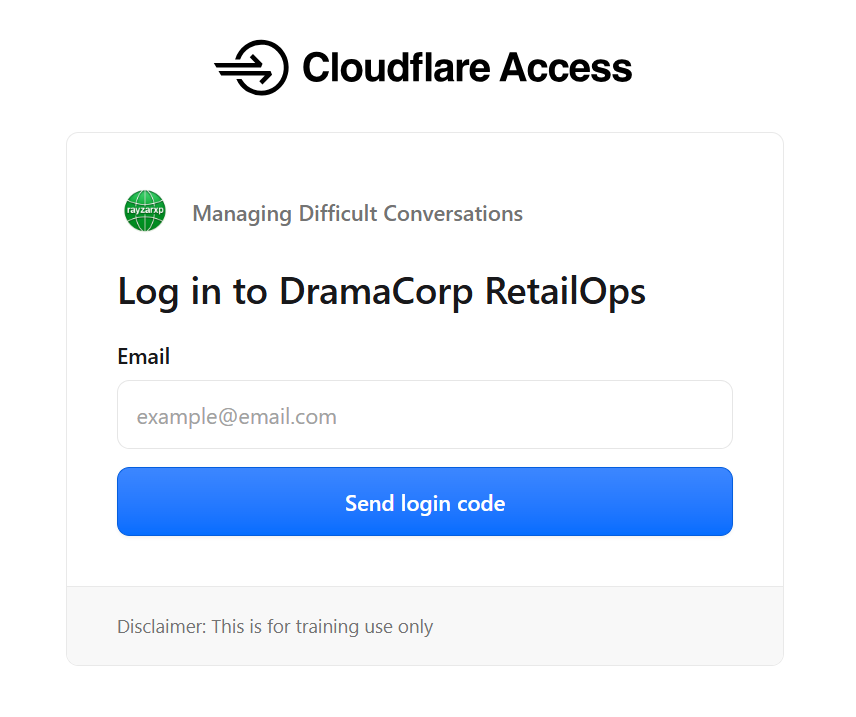
Enter your registered company email address. Then click Send PIN (or the equivalent button shown on the Cloudflare Access login page).
Cloudflare Access will send a One-Time PIN (OTP) to your registered email address.
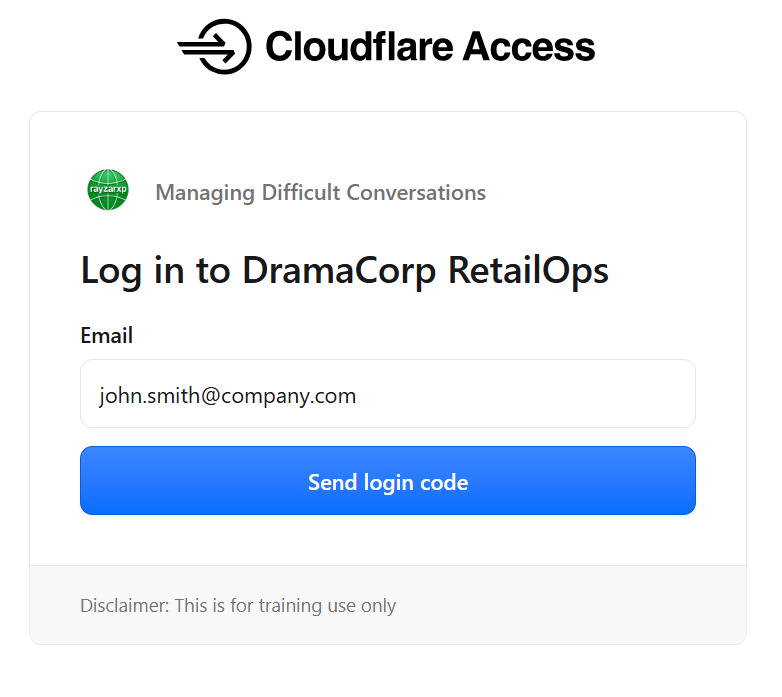
If you do not receive the PIN within approximately two minutes:
Open the email message and enter the PIN exactly as shown.
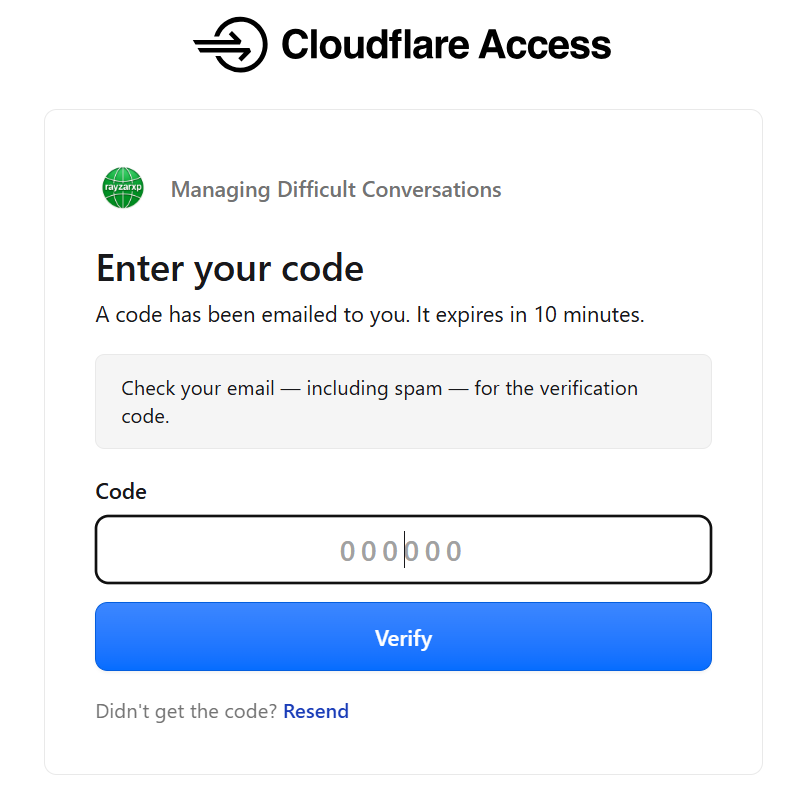
Only the most recently generated PIN is valid. If your PIN has expired, simply request a new one.
After successful authentication, DramaCorp will open automatically. You can now begin your assigned learning activity or conversation simulation.
| Problem | Solution |
|---|---|
| No PIN received | Check Spam folder and request another PIN. |
| PIN expired | Request a new PIN and use the latest one. |
| Wrong email address | Return to the login page and enter the correct company email address. |
| Access Denied | Contact your Territorial Manager to verify that your email address has been registered. |
| Dashboard not loading | Refresh your browser or clear your browser cache. |